

Discover the ultimate Rytr Review 2026 Uncover its features, pricing, pros, and cons to decide if this AI writing tool is right for your content creation needs.
Rytr is an AI writer designed to generate blog posts, social media updates, emails, and ad copy using advanced language models. Launched in 2021, Rytr gained traction for its clean interface and accessible pricing. It aims to reduce the time spent drafting and polishing copy, giving users fast access to usable content and a solid starting point for edits and SEO work.
What is Rytr
Rytr positions itself as an all-in-one AI writing tool that balances power with affordability. The platform is designed to handle a wide range of content tasks without a steep learning curve, so users can move from idea to polished copy quickly. Rytr offers dozens of templates—think AIDA ad copy, product descriptions, and social post starters—and multi-language support to serve a global audience.
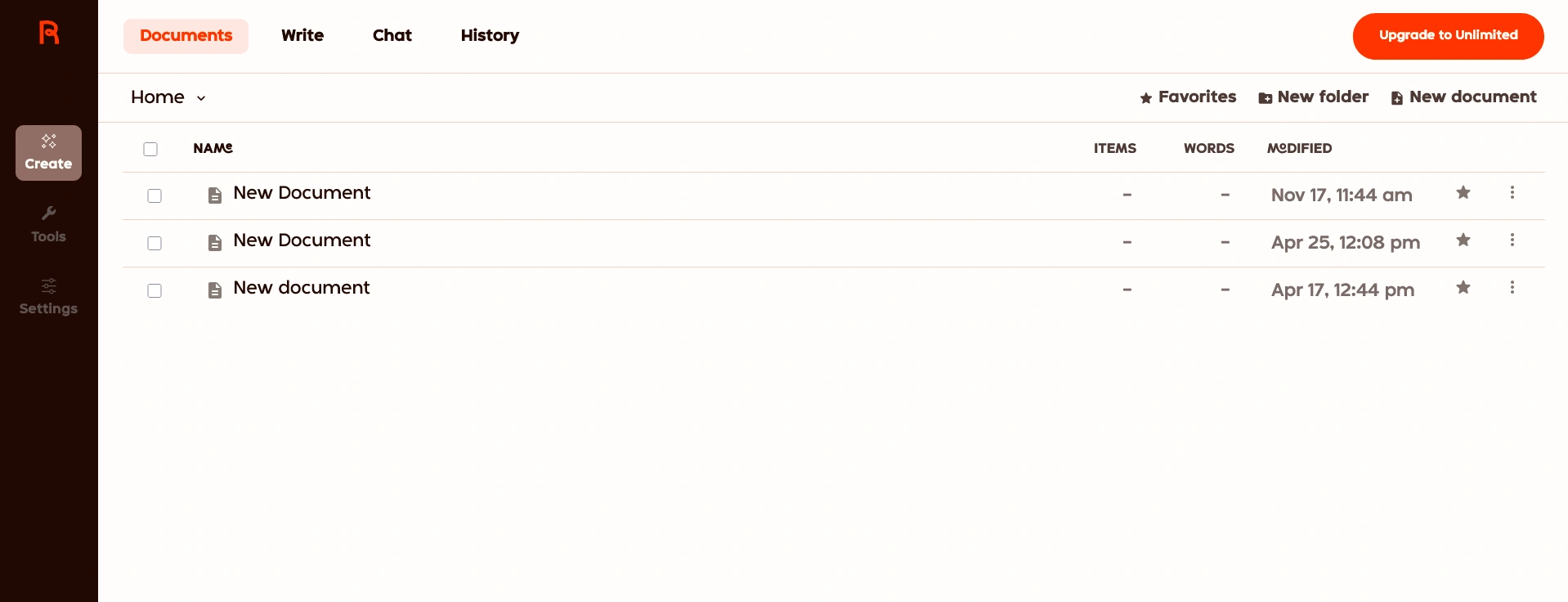
In practice, Rytr is useful for marketers, freelance writers, and small businesses that need fast, reliable content generation as a starting point for editing and SEO. It also includes practical features such as tone selection and reusable templates, which help scale content creation across teams while keeping quality consistent.
Rytr Features
Rytr packs a useful range of features to speed up content creation for marketing teams, freelance writers, and small businesses. Below are the core capabilities you’ll use most often, with quick examples and notes on when each feature is the best starting point.
- 40+ Use Cases: Rytr offers dozens of templates tailored to specific content types—everything from AIDA ad copy and product descriptions to blog post outlines and story plots. Best for: fast starting points when you need structured copy. Example (starting point): choose “AIDA Framework” to generate a quick ad headline + 2-line body you can polish into final copy.
- 30+ Languages: Create content for global audiences with multi-language support. Best for: international teams and websites that need localized content quickly. Tip: use the same template in different languages to keep tone and structure consistent across markets.
- 20+ Tones of Voice: Select from multiple tones—Convincing, Inspirational, Humorous, Formal—to match your brand’s voice. Best for: social media posts and ad copy where tone matters. Example (tone tweak): change “Formal” → “Humorous” to turn a product blurb into a playful social post.
- Built-in Plagiarism Checker: Rytr includes an integrated plagiarism checker (powered by Copyscape at the time of writing) to help ensure originality. Best for: published website copy and client-facing content where uniqueness is essential—always double-check with a secondary tool if your content includes facts or quotes.
- Editing and Formatting Tools: The editor includes Expand, Shorten, Rephrase, and Append—handy for iterating quickly. Best for: turning a 20-word idea into a finished 2–3 sentence product blurb or social caption. Example before/after (social caption): “New eco mug drops” → Expand → “Our new eco-friendly mug just landed — lightweight, durable, and planet-friendly. Grab yours today!”
- Browser Extension: Rytr’s Chrome extension lets you generate copy directly in email, social media, and CMS editors like WordPress, so you can produce content where you work. Best for: saving time across platforms and keeping content consistent between your draft and final post.
Rytr Pricing
Rytr keeps pricing simple with tiered plans that fit casual users and content teams alike. Below is a clear overview of what each plan includes and how the character-based limits translate into real-world content output.
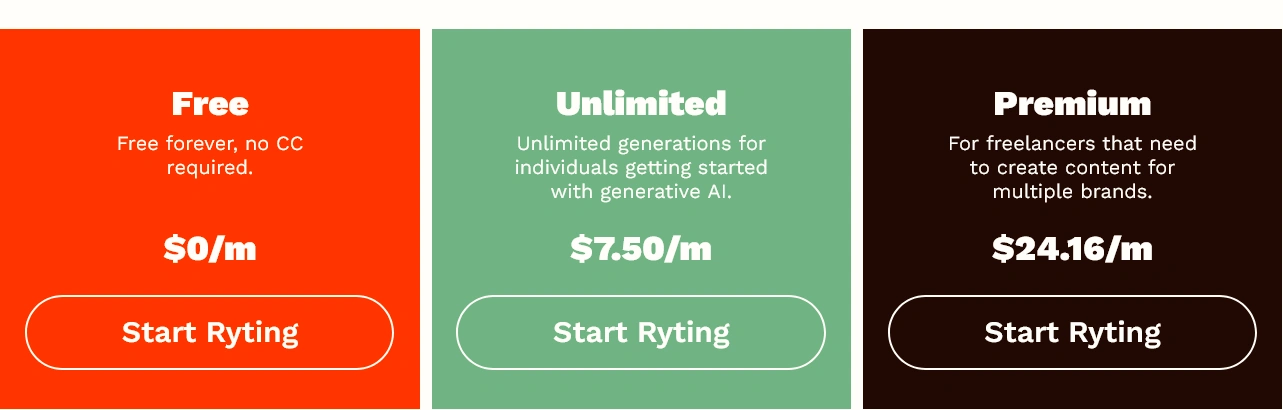
- Free Plan: Ideal for testing the platform, the Free plan provides access to all templates, tones, and the built-in plagiarism checker and allows generation up to 10,000 characters per month (roughly 1,600–2,000 words depending on phrasing). It’s a great way to try Rytr’s features and evaluate fit before committing to a paid plan.
- Saver Plan: At $9 per month (or about $90 annually), the Saver plan increases the monthly character allowance to 100,000, making it a strong value for freelancers, bloggers, and small businesses that produce regular short-form content. Example ROI: at an average 300 characters per social post, this allows for ~330 social posts per month.
- Unlimited Plan: Designed for heavy users, the Unlimited plan (priced at $29 per month or billed annually) offers unlimited character generation plus extras like priority support and a dedicated account manager. This tier is a fit for agencies and larger content teams that need high-volume content generation and faster access to support and API features.
Rytr Coupon Code (Promotions)
Rytr occasionally runs promotions and coupon codes around major shopping events (Black Friday, New Year) or company promotions. Check Rytr Coupon Code for the latest offers on discounts and deals, or visit Rytr’s official website and promotional emails for updates.
How to Use a Rytr Coupon Code
Found a coupon? Applying it at checkout is straightforward:
- Go to the Rytr pricing page and choose the Saver or Unlimited plan.
- Proceed to checkout and look for the “Coupon Code” or “Promo Code” field.
- Enter the code, click “Apply,” and confirm the discount appears in your total before completing payment.
- If a code doesn’t work, contact Rytr support or check the coupon’s terms (some are time-limited or region-specific).
Our Experience: Pros and Cons
After hands-on testing, here’s a practical look at what Rytr does well and where it’s limited—so you can decide if this writing tool fits your workflow.
Pros
- Clean, intuitive interface: Rytr’s UI is straightforward, letting new users start generating content in minutes—no steep learning curve. Value: saves time on onboarding and helps small teams produce more content faster.
- Generous free plan for testing: The Free plan gives you enough characters to try templates, tones, and the built-in plagiarism checker without cost—perfect for evaluating fit before buying.
- Affordable paid plans: The Saver plan and Unlimited options deliver strong value per month for frequent content creators, especially solo marketers and small businesses that need predictable costs.
- Great for high-quality short-form content: Rytr reliably produces usable social media captions, product descriptions, and ad copy that usually need only light editing. Example (social caption): input “eco mug launch” → output: “Meet our new eco mug—stylish, durable, and planet-friendly. Grab yours today!” This makes Rytr a fast starting point for publish-ready copy.
Cons
- Long-form content requires work: Rytr can produce blog posts, but the workflow involves generating and stitching smaller sections, which can reduce narrative cohesion. Tip: start with a clear outline, generate section-by-section, and use the editor tools (Append/Rephrase) to improve flow.
- Character limits can be confusing: Plans are based on characters rather than words, which can make planning content output tricky—especially on the free plan. Practical tip: estimate characters per post (short social post ≈ 300 chars) to track usage.
- Fact-checking still required: Like other AI writing tools, Rytr can produce inaccuracies. Always verify statistics, dates, and claims before publishing—this preserves credibility and protects SEO performance.
Who should choose Rytr: solo marketers, social media managers, and small teams who need fast, low-cost content generation. Who should look elsewhere: writers focused on long-form narrative or teams needing deep SEO integrations (look into tools tailored for long-form SEO workflows).
Quick CTA: Try these starter prompts in Rytr to test quality—”Write three social captions for a sustainable mug launch” and “Create a 150-word product description for an eco coffee cup.” These simple prompts give a feel for the writing experience and output quality.
Rytr FAQs
Is Rytr content plagiarism-free?
Rytr includes a built-in plagiarism checker (historically powered by Copyscape); this helps flag direct matches, but it’s wise to double-check important or sensitive content with a secondary plagiarism tool. For best results, run published website copy or client deliverables through an additional checker and manually review any highlighted passages.
Does Rytr have an API?
Yes — Rytr offers API access (typically available on higher tiers such as the Unlimited plan). The API lets you integrate the content generator into internal tools, CMS workflows, or marketing automations. If you plan to use the API for business-critical integrations, check Rytr’s website for current API limits, pricing, and documentation before committing.
Can Rytr write a full book?
No — Rytr is optimized for short to medium-length content and isn’t designed to produce a fully coherent, publish-ready book on its own. That said, you can use Rytr as a starting point: create an outline, generate individual chapters or scene drafts, then stitch and heavily edit them for narrative flow. Use the editor tools (Append, Rephrase, Expand) and manual fact-checking to improve cohesion.
Does Rytr handle SEO or team accounts?
Rytr focuses on content generation rather than deep SEO workflows. It can help produce SEO-friendly content when you provide relevant keywords and briefs, but it doesn’t replace specialized SEO tools for keyword research or on-page optimization. Team and business features vary by plan; higher tiers typically include better collaboration, priority support, and account management—check the Rytr website for current team features and access levels.
Final Verdict: Is Rytr Worth Your Money?
Short answer: yes—if your focus is fast, affordable short-form content. Rytr is a practical content generator for individuals and small teams who need quality copy quickly without a steep learning curve.
Who Rytr is best for: social media managers, solo marketers, bloggers, and small-business owners who want to produce consistent posts, product descriptions, ad copy, and email subject lines at low cost. The combination of templates, tone controls, and an easy editor makes it a reliable starting point for content creation and quick copy tweaks.
Who should consider other tools: teams that require deep SEO integrations, long-form editorial workflows, or advanced features for content strategy. For heavy long-form SEO work, tools like Jasper (for long-form drafting) and SurferSEO (for on-page optimization) remain better suited to those needs.
Bottom line: Rytr delivers strong value—its quality output for short-form content, straightforward pricing, and the free plan make it a smart pick for many content creators. It’s not a one-size-fits-all replacement for advanced SEO suites or long-form writing platforms, but as a writing tool that speeds up content production and lowers time-to-publish, it performs very well.
Next steps: try Rytr’s free plan on the website to test the experience, or start a Saver plan if you need more characters per month. Starter prompt idea: “Create three social captions for a new sustainable mug launch”—this will give you a feel for the tone, quality, and time savings Rytr can provide. If you need API access or higher-volume generation, evaluate the Unlimited plan or contact Rytr’s sales team for details on advanced features and team access.